


If you've installed and authorized the Unless team assistant extension, the next step is to integrate it with your Salesforce set-up. This will streamline your work as the AI will automatically pick up on the ticket and it's topic (if there is one) and answer the question accordingly.
Here are the steps to follow:
- In the Unless dashboard, go to the Team assistant tab, click on Platforms and select Configure for the Salesforce integration.
- In the “Topic mapping” tab, press “Add topic mapping”, enter the custom field name value, choose the relevant workspace and the topic you want to map it to.
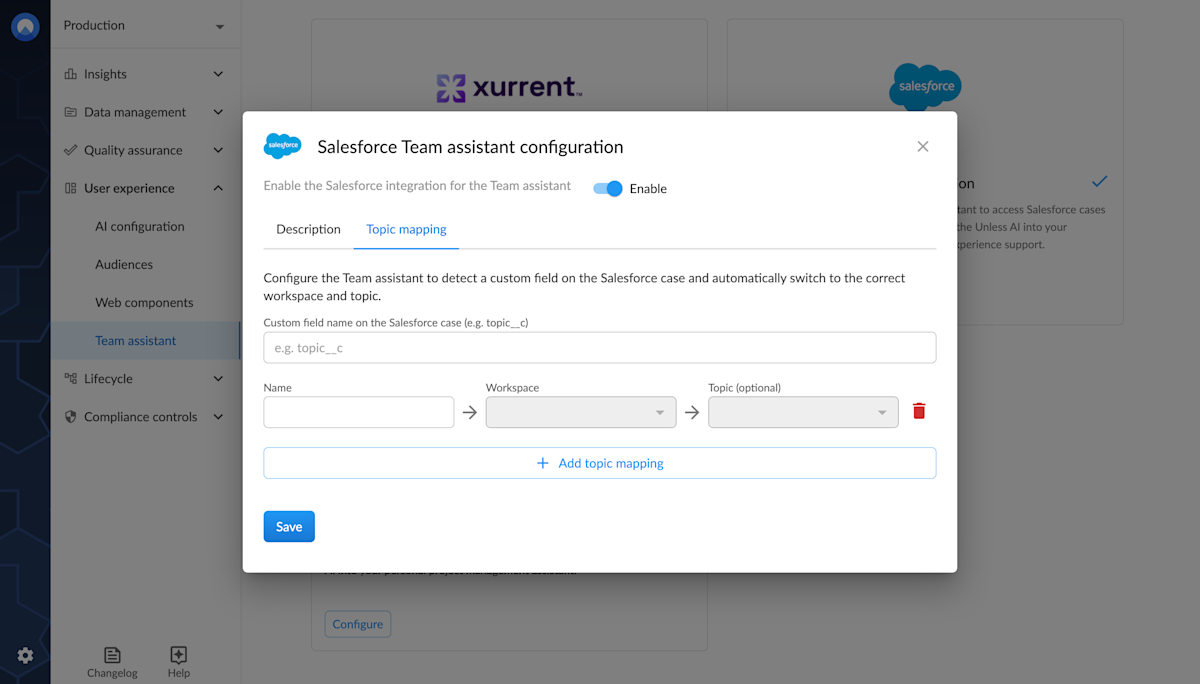
- Do this for all the topics you want to map.
- Next, you can switch on the integration by clicking Enable.
- If your extension was already open on the side, close it and re-open to make sure the settings are updated. Optionally, you can sync settings via the menu icon on the top right corner of the extension.
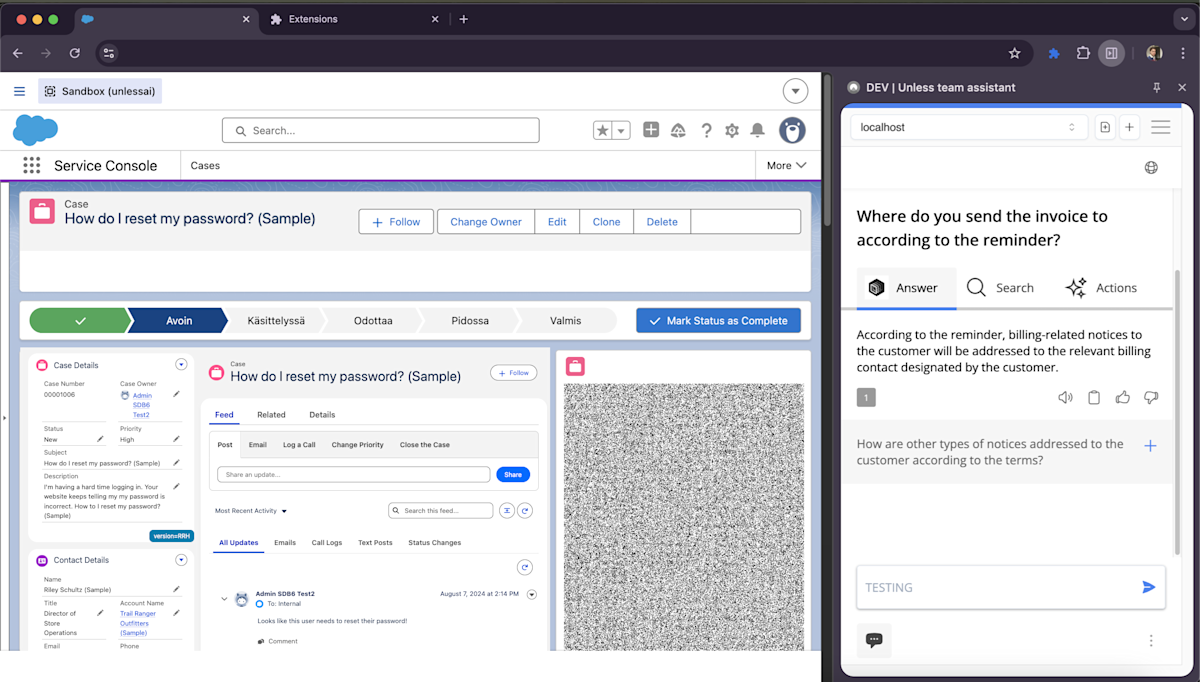
Now the assistant will automatically choose the right topic when you open a ticket and an answer will be generated.